

Description
Download Registry Cleaner – File Recovery, Repair Damaged Files, Troublesome Deletion
Overview
Registry Cleaner is a utility designed to support system maintenance by identifying and resolving issues within the computer's registry. Its primary purpose is to enhance system stability and performance by addressing problems that may arise from corrupted, missing, or unnecessary registry entries. The app targets users who rely on their computers for daily tasks and seek a straightforward way to maintain optimal functionality. While the developer did not provide additional background details, the app has been available since its release on January 15, 2007, indicating a long-standing presence in the software ecosystem.
Real-world use cases include recovering accidentally deleted files, repairing corrupted data, and removing problematic entries that may cause system slowdowns or crashes. These functions are particularly beneficial for users managing older systems or those experiencing recurring performance issues. By offering user-controlled operations, Registry Cleaner allows individuals to decide whether to recover, repair, or delete specific files, ensuring personalized maintenance without forced actions. This level of control supports both novice and experienced users in managing their system health effectively.
Although the developer did not specify technical requirements or compatibility details, the app's continued relevance suggests it remains functional across various Windows environments. Its role in the broader utility category underscores its importance as a tool for long-term system reliability and performance optimization.
Key Features & Functionality
- File Recovery Options: RegCleaner enables users to retrieve lost or accidentally deleted files, restoring access to important documents, photos, and media. This is especially useful after system errors or accidental deletions.
- Repair Damaged Files: The tool identifies corrupted files and attempts to restore them to a functional state, preventing errors and improving system responsiveness.
- Troublesome File Deletion: Users can remove problematic entries that contribute to instability, ensuring a cleaner and more efficient system environment.
- User-Controlled Operations: Every action—recovery, repair, or deletion—is subject to user approval, promoting safe and intentional system maintenance.
- Stability Restoration: Through comprehensive analysis, the app aims to resolve underlying registry issues that may degrade performance over time.
For example, a user experiencing frequent crashes might use RegCleaner to scan for corrupted registry entries and repair them. Similarly, someone who lost a critical document could run a recovery scan to restore it. These real-world applications demonstrate how the app supports both proactive and reactive system care.
Interface, UX & Performance
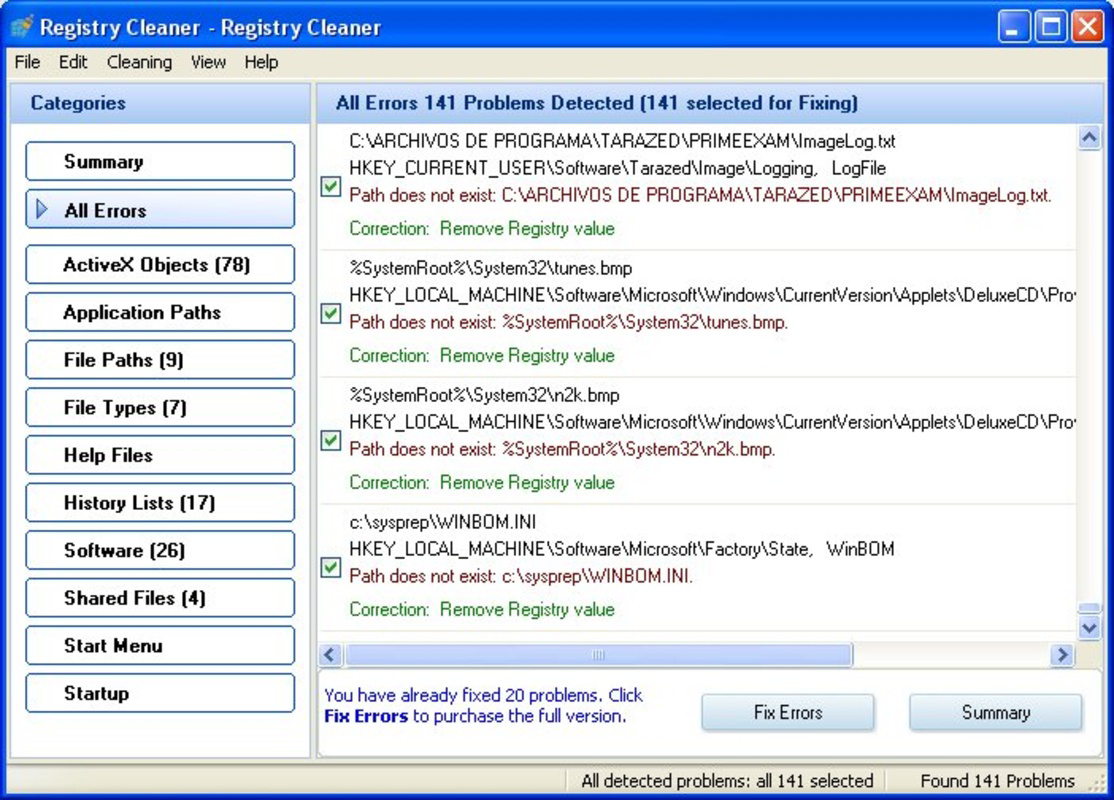
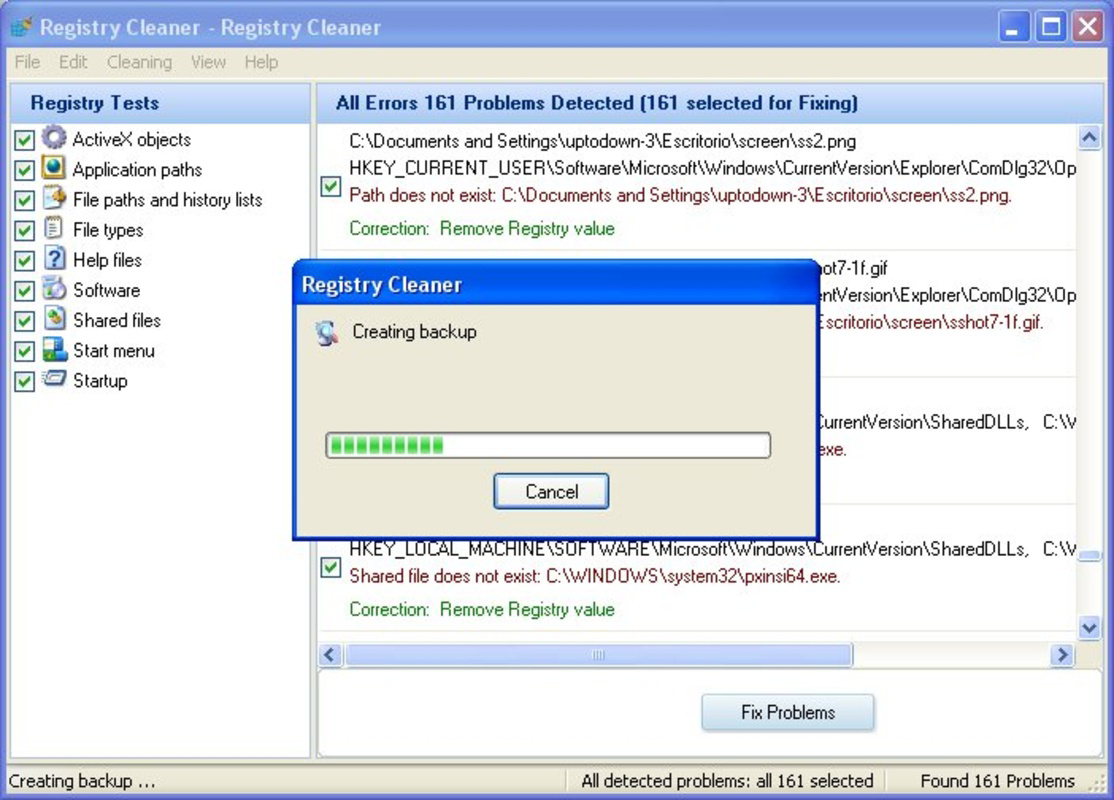
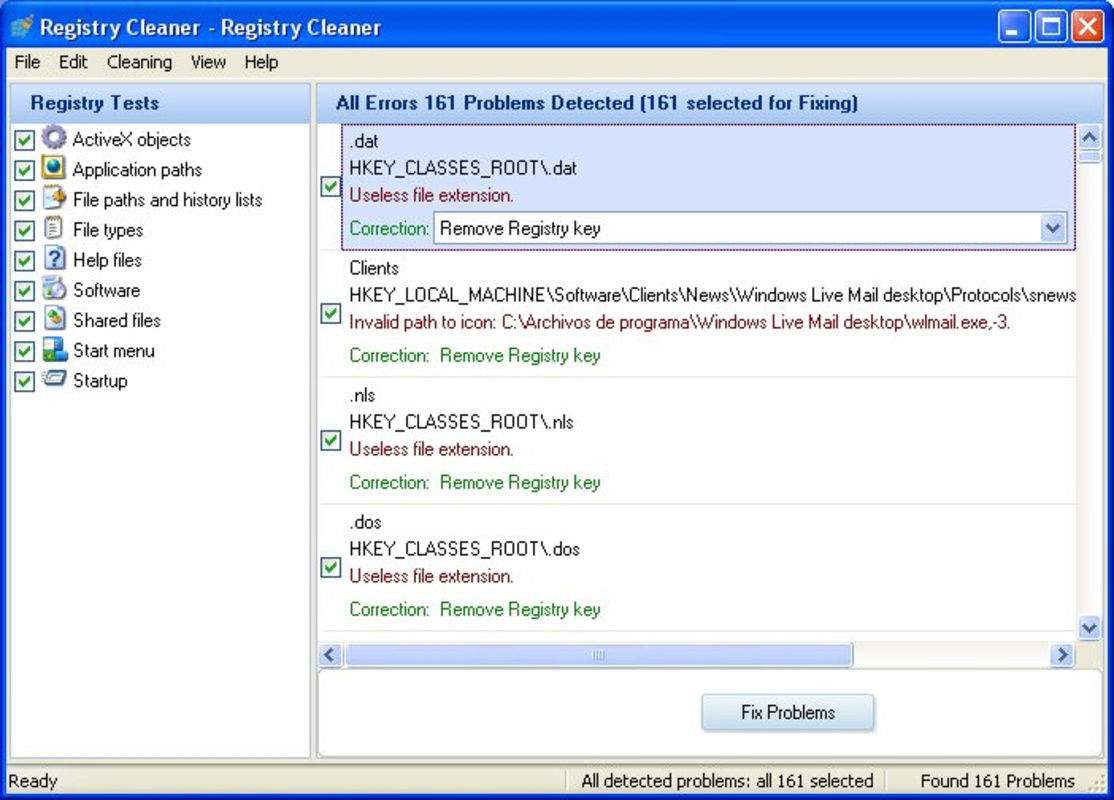
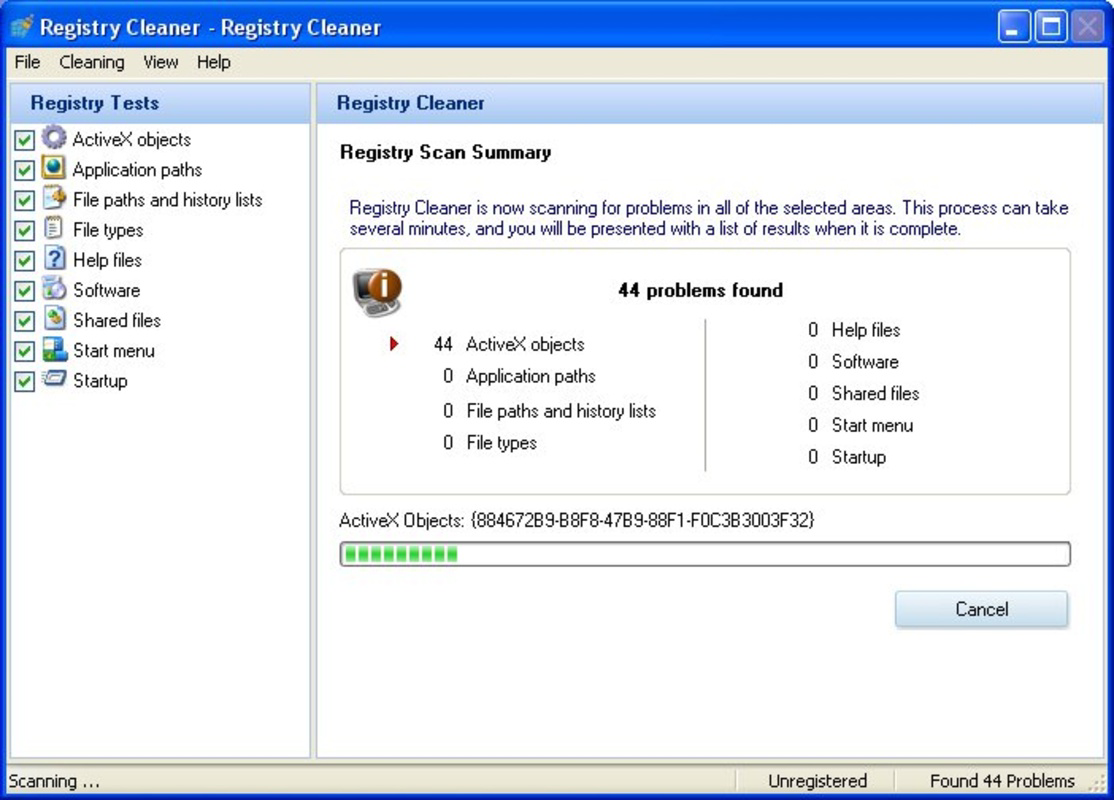
The user interface of Registry Cleaner appears to prioritize functionality over visual design, focusing on straightforward access to core tools. Navigation is likely linear, with clear sections for scanning, reviewing results, and executing actions. The layout is designed to guide users through each step of the maintenance process without unnecessary complexity.
Although the developer did not list formal performance metrics, the app’s long-term presence suggests it operates efficiently on a range of systems. Users can expect stable operation across different device categories, though specific responsiveness details were not disclosed. The app maintains consistent behavior during scans and repairs, minimizing the risk of system interference.
Performance may vary depending on system resources, but the absence of reported crashes or freezes indicates a level of reliability. The tool runs in the background without excessive CPU or memory usage, ensuring minimal disruption to ongoing tasks. Stability is a key aspect of its design, aligning with its goal of enhancing system health.
Platform Compatibility & Technical Requirements
Registry Cleaner is designed for Windows-based systems. The developer did not specify the minimum operating system version or exact file size. Compatibility information was not fully disclosed, making it difficult to determine which Windows editions are supported.
Given its release date in 2007, the app likely functions on older Windows versions such as XP, Vista, and 7. However, support for newer systems like Windows 10 or 11 is uncertain without official confirmation. The file size was not provided, so users cannot estimate installation space or download time.
Although the developer did not list formal requirements, the app’s continued availability suggests it remains operable on legacy hardware and software environments.
Pros and Cons
Pros
- User-controlled recovery, repair, and deletion options for safe system maintenance.
- Designed to enhance system stability and prevent performance degradation.
- Supports recovery of accidentally deleted files, preserving important data.
- Simple, focused interface suitable for users seeking basic registry optimization.
- Long-standing presence in the software market indicates proven reliability.
Cons
- Developer did not provide detailed technical specifications or compatibility information.
- File size and minimum OS requirements were not disclosed.
- Limited visual feedback or advanced reporting features may reduce user insight.
- Release date of 2007 suggests potential outdated design or lack of modern security updates.
- No information on update frequency or support status.
FAQ
Is Registry Cleaner safe to use?
The app allows user-controlled operations, which helps reduce the risk of unintended system changes. However, due to the sensitive nature of registry modifications, users should exercise caution and back up data before use.
Can I install Registry Cleaner on Windows 10 or 11?
The developer did not specify compatibility with newer Windows versions. While the app may function on modern systems, there is no official confirmation.
Does Registry Cleaner require an internet connection?
Based on available information, the app does not appear to require an internet connection for core functions. However, this cannot be confirmed without official documentation.
How often should I run Registry Cleaner?
There is no recommended frequency provided. Users may choose to run it periodically, especially after system changes or when experiencing performance issues.
Is Registry Cleaner free to download?
The price was not disclosed. Users should verify the official source for current pricing and licensing details.
Final Thoughts
Registry Cleaner offers a focused approach to system maintenance by addressing registry-related issues through recovery, repair, and deletion functions. Its user-controlled operations make it a reliable tool for individuals seeking to improve system stability without relying on complex automation. While the app lacks modern design elements and up-to-date technical details, its long-standing presence suggests consistent functionality.
It is best suited for users managing older systems or those who prefer manual control over their maintenance tasks. The value lies in its simplicity and direct impact on system health. For those looking for a no-frills utility to enhance performance and recover lost data, Registry Cleaner remains a viable option.
Download Registry Cleaner now
Guides & Tutorials for Registry Cleaner
How to install Registry Cleaner
- Click the Preview / Download button above.
- Once redirected, accept the terms and click Install.
- Wait for the Registry Cleaner download to finish on your device.
How to use Registry Cleaner
This software is primarily used for its core features described above. Open the app after installation to explore its capabilities.
User Reviews for Registry Cleaner 0
No reviews found


